Record. Loop your voice. Beatbox into drums. Mix on DJ decks. Then send a link and jam live with friends over the internet. One app for Windows. Pay once, get every update.
Four ways to play, one app
Studio
Record vocals and instruments, arrange on a timeline, write parts in the piano roll. Effects, automation, your own VST3 and CLAP plugins.
Unlimited tracks, undo for everything
Clean up a take with one slider: noise, levels, pitch
Export to WAV, or open the project in another DAW
Live
A looper built for performing. Sing a line, layer a harmony, stack a beat. Beatbox into the mic and it turns into a drum pattern. Hum a melody and it becomes notes.
Eight loop slots, record, overdub, undo a layer
Beatbox to drums, hum to melody
Forgot to press record? Keep the last 30 seconds
DJ
Two or four decks with sync, hot cues, beat loops, three-band EQ and filters. Plug in your controller and map it in a minute: lights and motor faders follow along.
Tempo and key detected for your whole library
Key lock, jog wheel scratching, headphone cue
Mapping wizard for any MIDI controller
Jam together, from anywhere
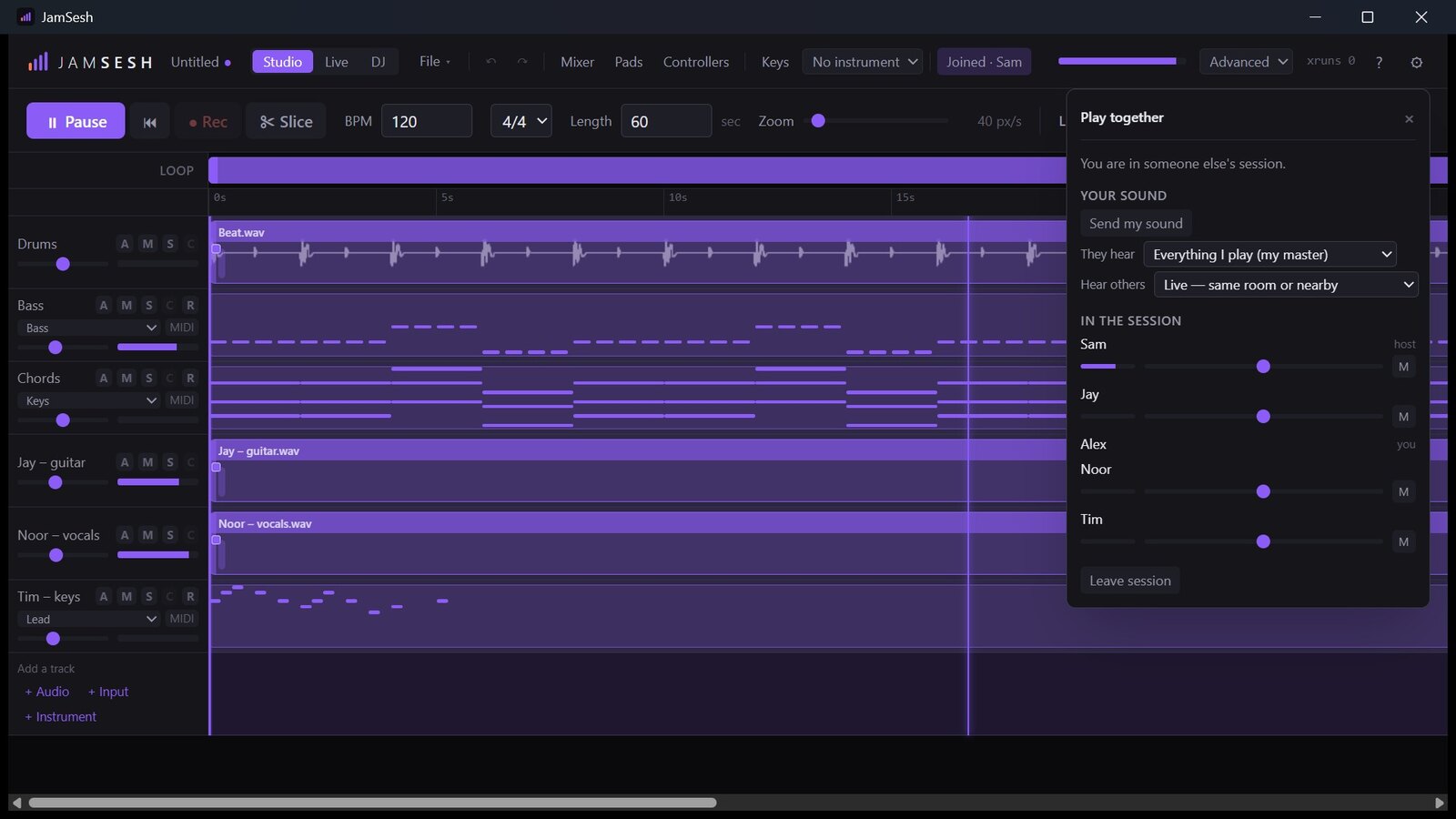
Host a session from your own computer and send your friends a link. Everyone hears each other live, edits the same song, and records into it. On your home network or across the internet, no account and no server in between.
Live audio between players, tuned for low delay
One shared project: every edit lands for everyone
Private by design: only people with your link get in
Your voice is an instrument
Beatbox a groove and JamSesh hears the kicks, snares and hats, then plays them back as a real drum loop you can edit. Hum a tune and it becomes a melody on any synth.
How does it all work? The guides walk through every view and feature, step by step.
Make music with your AI app too: Claude and other assistants can drive JamSesh through its built-in MCP connection, only when you switch it on.
Experimental
Experimental: build together with AI agents
Switch on JamSesh's built-in MCP connection and an AI assistant such as Claude can work in your project: write parts, balance the mix, listen to its own result and answer the notes you leave on the timeline. Every change is one undo step, and it only happens when you allow it.
14-day free trial: download first, buy when you're sure.
Questions
Does it work on Mac or my phone?
JamSesh starts on Windows 10 and 11. Mac and phones are on the roadmap. An iPad or Mac can already join as an instrument over network MIDI.
Do I need an internet connection?
No. Everything runs on your computer. You only need the internet to jam with people outside your home network.
Do I need an account?
No. There is no account and JamSesh sends nothing about you anywhere. If something goes wrong, you can save a diagnostics file and send it to us yourself.
Will my audio interface and controller work?
Most USB audio interfaces, microphones, MIDI keyboards and DJ controllers work straight away. The mapping wizard teaches JamSesh any MIDI controller in about a minute.
Windows asks whether JamSesh may use the network. Should I allow it?
Yes, for private networks. The first time you host a session, Windows asks whether other computers may connect to JamSesh. Allow it, or friends can't join you. You can change it later under Windows Security, Firewall, "Allow an app through firewall".
Can I use my own plugins?
Yes, VST3 and CLAP effects and instruments. Each plugin runs in its own process, so a crashing plugin can't take your song down with it.
How does jamming over the internet work?
One person hosts from their own computer and sends a link. JamSesh asks the router to open the way automatically; if it can't, it shows the steps. Friends click the link and they're in.